
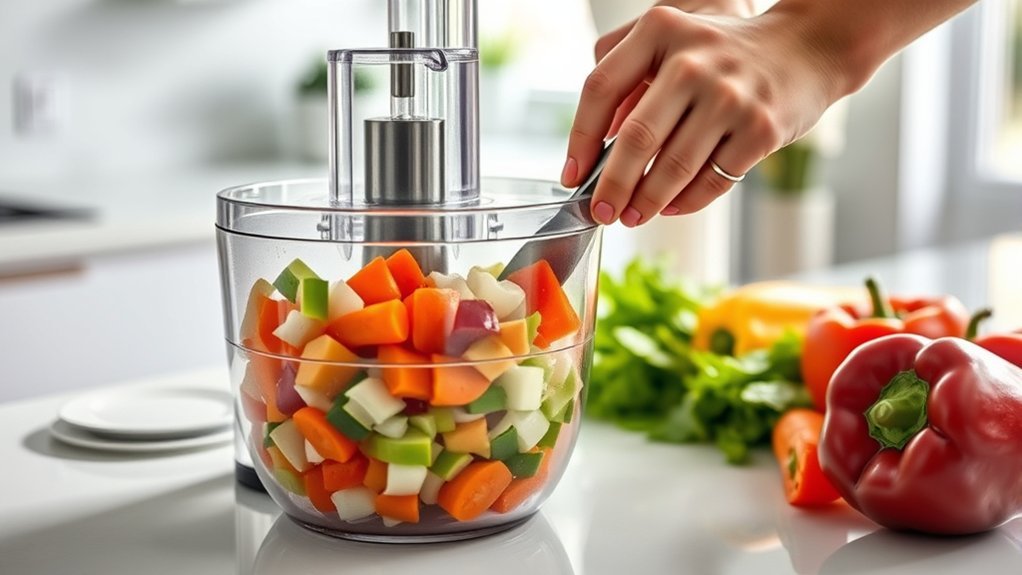
A food processor can slice, shred, or chop vegetables quickly, but the best technique depends on the attachment. Use a slicing or shredding disc for uniform cuts and an S-shaped multipurpose blade with short pulses for chopped vegetables. Trim produce to fit the feed tube, support narrow vegetables so they stay upright, avoid overfilling, and guide food with the pusher rather than forcing it.
Quick Answer
To cut vegetables with a food processor, use the slicing or shredding disc for even slices and shreds, or the S-blade with short pulses for chopped vegetables. Trim produce to fit, pack narrow pieces so they stay upright, use the food pusher with even pressure, and stop before soft vegetables become overprocessed.
Key Takeaways
- Use the right attachment: slicing disc for slices, shredding disc for shreds, and the S-blade for chopped vegetables.
- Trim vegetables to fit the feed tube instead of forcing oversized pieces through it.
- Support narrow vegetables such as carrots and celery so they stay upright and produce straighter cuts.
- Pulse only when chopping with the S-blade; slicing and shredding discs normally work while the processor runs continuously.
- Follow your model’s manual for maximum fill, attachment installation, cleaning, and dishwasher compatibility.
At a Glance
| Time Required | About 5–15 minutes for most vegetable-prep batches |
| Difficulty | Easy once the correct attachment is installed |
| Tools Needed | Food processor, appropriate blade or disc, food pusher, knife, and cutting board |
| Cost | No additional cost if you already own the processor and required attachment |
Prep Vegetables for Even Cutting
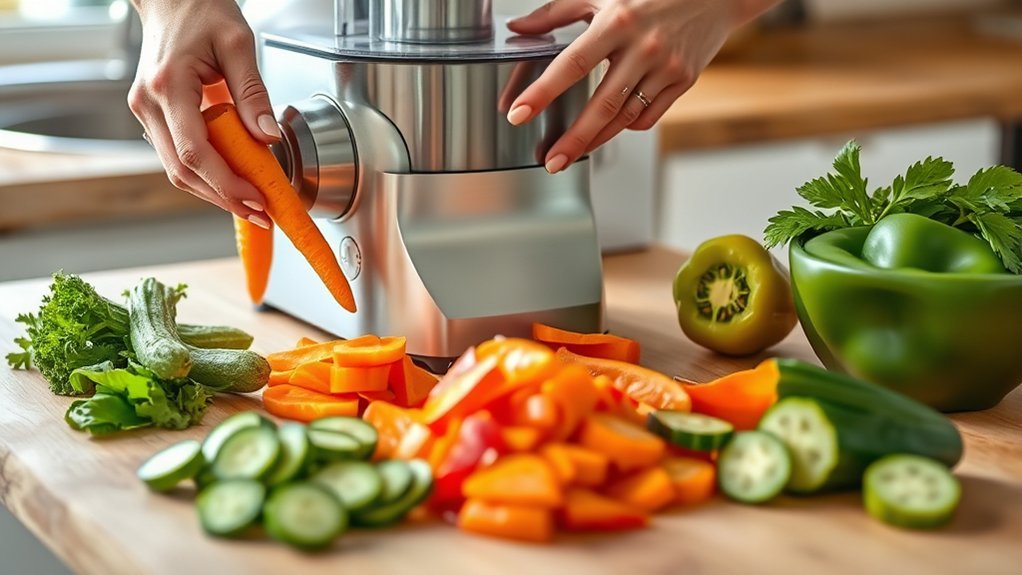
To prep vegetables for even cutting, wash them as needed and trim them into manageable sizes that fit the processor’s feed tube or work bowl. Pieces should move through the machine without being forced. Proper sizing helps the attachment contact the vegetable consistently and reduces crooked slices or oversized pieces.
Firm, fresh produce is usually easiest to slice because it holds its shape under the food pusher. Long vegetables such as carrots, zucchini, and celery can be cut to fit vertically or horizontally. KitchenAid recommends supporting slender foods securely in the feed tube and using the smaller feed tube when available for better positioning. See the manufacturer’s food processor tips.
Leafy vegetables require more care. Some leaves can be stacked, rolled, and positioned upright for shredding, but the best method depends on the leaf and processor. For example, some manufacturer instructions recommend an S-blade rather than a slicing or shredding disc for spinach.
Firm produce generally slices more cleanly when it is supported in the feed tube and guided with smooth, even pressure.
The feed tube should match the ingredient. A wide opening may accept potatoes, onions, or cabbage wedges on models designed for them, while a narrow opening gives more control over carrots, celery, and zucchini. Always trim an ingredient if it is too large for the opening.
Preparation makes the processor more efficient because the attachment can cut rather than fight against oversized, unstable, or awkwardly positioned vegetables.
Pick the Right Food Processor for Vegetables
Once vegetables are prepared, the next consideration is whether the food processor has the capacity and attachments needed for the job.
There is no single bowl size that is best for every kitchen. Smaller processors can work well for modest batches, while larger work bowls reduce the number of batches needed for meal prep or family cooking. Choose capacity based on how much food you normally process rather than assuming an 10- or 11-cup model is automatically better.
A useful vegetable-processing setup may include a multipurpose S-blade, slicing disc, shredding disc, food pusher, and more than one feed-tube size. Some processors also provide an adjustable slicing disc that lets you change slice thickness without replacing the disc.
Stainless steel is commonly used for processor blades and discs because it provides a hard cutting edge and resists corrosion in normal kitchen use. The exact attachment design matters more than the material name alone.
A pulse control is particularly helpful for chopping because it lets you stop as soon as vegetables reach the desired size.
Before buying or using a processor, check which attachments are actually included. Features such as adjustable slicing, dicing kits, narrow feed tubes, and multiple speeds vary by model.
Match the Blade or Disc to the Job
The most important step is choosing the attachment that matches the cut you want.
- S-shaped multipurpose blade: use for rough chopping, minced vegetables, salsa-style mixtures, cauliflower rice, and similar textures. Short pulses give the most control.
- Slicing disc: use for round or flat slices of vegetables such as cucumber, zucchini, potatoes, onions, radishes, and carrots.
- Shredding disc: use for shredded carrots, cabbage, potatoes, zucchini, and other firm produce.
- Dicing attachment: use when you need true cubes and your processor includes a compatible dicing system. A standard slicing disc by itself does not create cubes.
Pro Tip: Decide on the finished shape before installing an attachment. If you want slices or shreds, use a disc. If you want irregular chopped pieces, use the S-blade and pulse.
Use the Slicing Disk for Fast Results
Selecting the correct slicing disc thickness helps match the cut to the recipe. Thin cucumber slices may suit salads, while thicker potato or zucchini slices may work better for roasting or casseroles.
Place firm ingredients in the feed tube so they are stable. Larger openings can handle wider produce when the model allows it, while narrow tubes help stop long vegetables from tipping sideways.
For suitable leafy vegetables, compact bundles can improve alignment, although the manufacturer’s instructions should be followed because not every leaf is suited to every disc.
Choose the Right Disk
The slicing disc is the right choice when you need fast, uniform slices. An adjustable disc gives additional control because it can produce different thicknesses without swapping attachments. Breville, for example, instructs users to set the desired thickness before installing its adjustable slicing disc. Its manual also notes that slice thickness can vary with the food and pressure applied. See the Breville food processor instruction manual.
Firm vegetables such as carrots, cucumbers, potatoes, and zucchini are usually straightforward to slice. Softer vegetables need lighter pressure so they are not compressed against the disc.
Do not confuse disc slicing with S-blade chopping. For slicing, the processor normally runs while food is guided through the chute. Pulsing is more useful when the vegetable is in the work bowl with the chopping blade.
Feed Tube Technique
With the slicing disc installed correctly, good feed tube technique keeps vegetables stable as they reach the blade. Place long vegetables straight when possible, or pack several slender pieces together so they support one another.
Use the food pusher with smooth pressure. The correct pressure depends on the ingredient: soft foods need less force, while carrots and other hard vegetables tolerate firmer pressure. Even with firm vegetables, the goal is to guide rather than force the food.
Multiple pieces can be processed together when they fit without exceeding the feed tube’s maximum-fill mark or preventing the pusher from engaging properly.
Choose the Best Feed Tube Size
Choosing the right feed tube size depends on the shape and width of the ingredient. A larger tube is useful for wider vegetables when they fit safely, reducing the amount of pre-cutting required.
A smaller feed tube works better for narrow vegetables such as carrots, zucchini, and celery because the tighter space helps keep them upright. This reduces the chance that a carrot will lean over and produce long diagonal slices instead of consistent rounds.
A smaller feed tube helps support narrow vegetables, while a larger chute reduces pre-cutting for wider produce that fits safely.
Food should fit snugly enough to remain supported but should still move freely under the pusher. Packing the tube so tightly that the vegetable cannot move can increase resistance and interfere with consistent slicing.
If an ingredient is too large, trim it. Never push an oversized vegetable through the feed tube by force.
Pulse for Better Control
Pulse offers tighter control when vegetables are being chopped with the S-shaped multipurpose blade. Each short burst cuts the food a little more, making it easier to stop at the desired texture.
Start with brief pulses, then inspect the pieces. Soft vegetables and herbs can become finely minced or watery quickly, while firm carrots, onions, and cauliflower tolerate additional pulses.
For cauliflower rice, cut the cauliflower into florets and work in manageable batches. KitchenAid’s current method uses a multipurpose S-blade and pulses until the cauliflower resembles grains of rice. See its cauliflower rice guide.
Do not use repeated pulses simply because a slicing or shredding disc is installed. Those attachments are designed to cut food as it moves through the feed tube while the disc spins.
Step-by-Step: Slice or Shred Vegetables
- Switch the processor off and unplug it before installing or changing a sharp disc.
- Install the correct disc according to the processor manual, with the cutting surface facing the required direction.
- Wash, peel, seed, or trim the vegetables as required by the recipe.
- Cut produce to fit the feed tube without forcing it.
- Support narrow vegetables upright in a small feed tube or pack several pieces together if your manual permits it.
- Secure the lid and food pusher so the processor’s safety interlocks are properly engaged.
- Start the processor using the speed recommended for your model.
- Guide food with the pusher using smooth pressure appropriate to the vegetable.
- Stop when the bowl reaches the safe fill level or when processed food begins crowding the underside of the disc.
- Wait for the disc to stop completely before opening the processor.
Warning: Food processor blades and slicing discs are extremely sharp. Use the food pusher rather than fingers, utensils, or a spatula in the feed tube. Turn the processor off, wait for moving parts to stop, and unplug it before removing or changing blades and discs.
Troubleshoot Uneven or Mushy Vegetables
Vegetables Lean or Slice Diagonally
Narrow vegetables such as carrots or celery can fall sideways in a wide feed tube. Use the smaller tube if available, trim the vegetable to create a stable end, or pack several pieces together so they remain upright.
Slices Come Out Different Thicknesses
Check that the slicing disc is seated correctly and that an adjustable disc has not moved from its intended setting. Keep the vegetable supported and avoid changing pressure abruptly as it moves through the chute.
Chopped Vegetables Turn Mushy
This usually means the S-blade ran too long. Use shorter pulses, stop to check texture, and process small batches rather than filling the work bowl excessively.
Food Stops Moving Through the Chute
Do not press harder immediately. Stop the machine and check whether the vegetable is oversized, crooked, packed too tightly, or exceeding a maximum-fill mark. Re-trim or reposition it before continuing.
Large Pieces Remain Above the Disc
A few end pieces may remain after slicing or shredding. This is normal with many processors. Remove them after the disc stops and cut them by hand if needed instead of forcing them against the blade.
Clean the Processor Without the Mess
A quick cleanup routine helps prevent vegetable residue from drying onto the work bowl, blade, or disc. Once the machine is switched off and unplugged, disassemble removable parts carefully and keep fingers away from sharp cutting edges.
There is generally no need to coat a slicing or shredding disc with vegetable-oil spray before use. Keep attachments clean and dry and follow the manufacturer’s instructions for your particular processor.
KitchenAid recommends cleaning processor blades and discs soon after use so food does not stick and become harder to remove. When washing by hand, use warm soapy water with a soft sponge or cloth. See its food processor blade and cleaning guidance.
Rinse removable parts promptly when practical, and use a short soak in warm soapy water if food has dried onto a washable attachment. Handle sharp blades and discs by their safe edges or hubs rather than touching the cutting surfaces.
Do not assume every removable component is dishwasher safe. Dishwasher recommendations vary by brand and model, so check the owner’s manual before placing the bowl, lid, pusher, blade, or disc in the dishwasher.
Frequently Asked Questions
How to Cut Vegetables for Beginners?
Beginners should wash and trim vegetables into stable pieces before processing. Use the slicing disc for slices, shredding disc for shreds, or S-blade for chopped vegetables. When cutting by hand, use a sharp knife, stable cutting board, and tucked fingertips. Keeping pieces similar in size also helps them cook evenly.
What Are Common Food Processor Mistakes?
Common mistakes include using the wrong attachment, overfilling the work bowl or feed tube, forcing food through the chute, letting slender vegetables fall sideways, and running the S-blade too long. Installing attachments incorrectly or opening the processor before moving parts stop can also create a safety risk.
How to Use a Food Processor for Beginners?
Start by reading the processor’s assembly instructions and choosing the correct attachment. Add trimmed vegetables to the work bowl when using the S-blade, or place them in the feed tube when using a slicing or shredding disc. Use short pulses for controlled chopping and the food pusher for disc processing. Turn off and unplug the machine before disassembly.
Can I Chop Bell Peppers in a Food Processor, and if So, How?
Yes. For chopped bell pepper, remove the stem, seeds, and membranes, cut the pepper into manageable chunks, place them in the work bowl with the S-blade, and pulse briefly until the desired size is reached. Cuisinart uses this basic approach in its food-processor recipes. To make pepper slices instead, use a slicing disc and feed tube if your model supports the task.
Can a Food Processor Dice Vegetables?
A standard S-blade can chop vegetables into small irregular pieces, but it does not make consistent cubes. For true diced vegetables, use a processor with a compatible dicing attachment or dice the vegetables with a knife.
Can I Put Raw Carrots and Potatoes in a Food Processor?
Yes. Raw carrots and potatoes are common food-processor ingredients. Trim them to fit the feed tube when slicing or shredding, or cut them into chunks for S-blade chopping. Do not process food that is so hard or frozen that your processor’s manual warns it could damage the blade or motor.
Conclusion
Using a food processor to cut vegetables can turn repetitive prep into a quick, consistent task, but the attachment matters. Use a slicing or shredding disc when uniform cuts are the goal and an S-blade with short pulses when you need chopped vegetables. Proper sizing, a stable feed-tube position, gentle pressure, and careful cleanup produce better results while protecting both the food and the machine.
Sources
- KitchenAid — Food Processor Tips — feed-tube positioning, slicing, shredding, and slender-vegetable guidance.
- Breville — Food Processor Instruction Manual — slicing-disc setup, feed pressure, feed-chute preparation, and blade safety.
- KitchenAid — Food Processor Blade Uses — blade selection and cleaning guidance.
- KitchenAid — How to Make Cauliflower Rice With a Food Processor — S-blade and pulse technique for cauliflower.
- Cuisinart — Mango Salsa Recipe — practical bell-pepper chopping with a food processor and pulse control.

1 thought on “How to Use Food Processor to Cut Vegetables: Easy Guide”