
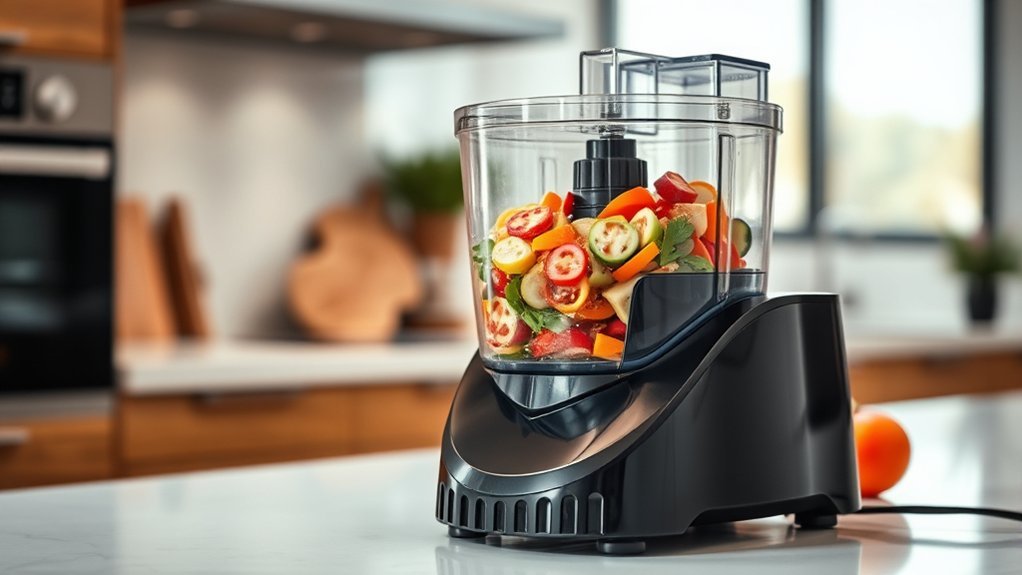
A food processor can chop, slice, shred, grate, mix, puree, and, on suitable models, knead dough or dice ingredients. The basic process is simple: place the machine on a dry, level counter, fit the correct bowl and attachment, lock the lid according to your model, add the food, and use pulse or continuous power until you reach the texture you want. Because bowl locks, feed tubes, capacities, and accessories vary, always follow the instructions for your exact model.
Quick Answer
To use a food processor, lock the bowl onto the base, install the correct blade or disc, secure the lid, and add prepared ingredients. Use short pulses for controlled chopping and continuous operation for tasks such as pureeing when appropriate. For slicing or shredding, feed food through the chute with the supplied pusher—never your fingers.
Key Takeaways
- Use the multipurpose or S-blade for chopping, mincing, and pureeing; use the appropriate disc for slicing or shredding.
- Assembly and locking directions vary by model, so do not force the bowl, lid, blade, or disc into position.
- Short pulses give better control when you want a coarse or even chop.
- Do not exceed your processor’s marked maximum capacity or the limits in its manual.
- Always use the food pusher for feed-tube processing and unplug the machine before changing attachments or cleaning it.
At a Glance
| Time Required | About 2–10 minutes for a typical prep task, depending on the ingredient and quantity |
| Difficulty | Beginner |
| Tools Needed | Food processor, correct blade or disc, food pusher, and a spatula as needed |
| Cost | No additional cost beyond ingredients if you already own the processor and required attachment |
What Does a Food Processor Do?
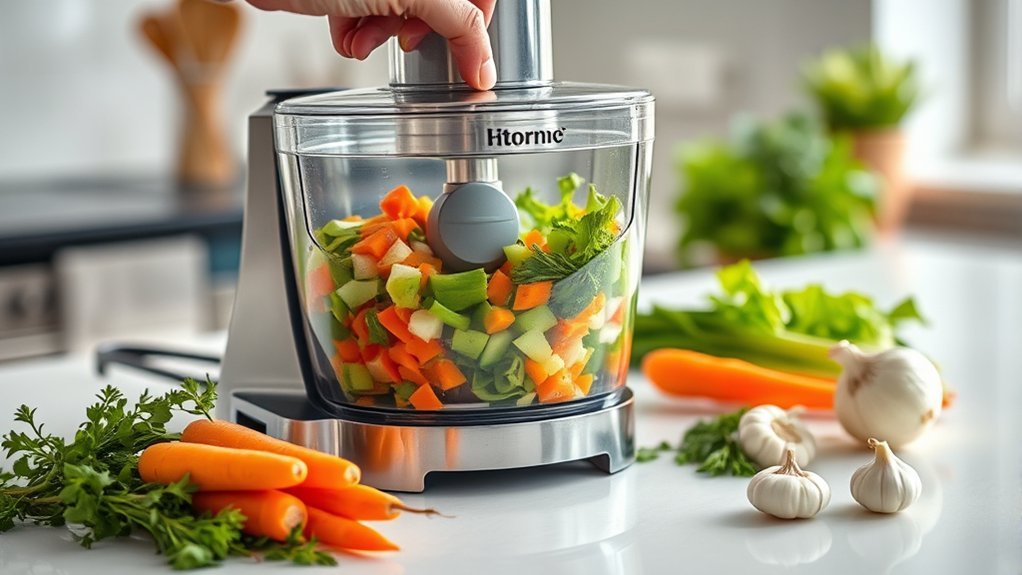
A food processor uses a motorized base to spin interchangeable blades or discs. Depending on the model and attachment, it can chop, mince, slice, shred, grate, puree, mix, and perform other preparation tasks quickly and consistently.
The multipurpose or S-shaped blade is commonly used for chopping vegetables, mincing ingredients, making crumbs, processing nuts, and creating thicker purees or dips. Slicing and shredding discs work near the top of the bowl so food passes through the disc and falls into the work bowl below.
Some processors include or accept extra attachments such as a dough blade, adjustable slicing disc, julienne disc, or dicing kit. These accessories are model-specific, so check what actually came with your machine before following a recipe that calls for one.
Full-size processors may also have wide feed tubes that reduce the amount of pre-cutting needed. However, feed-tube width varies, and produce should still be trimmed so it fits safely without being forced into the chute.
A food processor is most useful when you match the attachment and operating method to the texture you want instead of using the same blade and speed for every task.
How to Set Up a Food Processor
Before operation, place the food processor on a clean, dry, level countertop. Keep the machine unplugged while you assemble the bowl, blade, disc, or other attachment.
Note: Bowl, lid, feed-tube, and interlock designs vary. Some bowls twist clockwise, others use a different alignment system, and some newer lids hinge or latch into place. Never force a component. Follow the assembly markings or owner’s manual for your exact model.
For most full-size processors, the basic sequence is:
- Place and lock the work bowl onto the motor base according to the model’s alignment marks.
- Install the drive adapter first if your machine requires one.
- Fit the blade or disc needed for the task, making sure it is seated correctly.
- Add ingredients to the bowl when using an S-blade, or prepare the feed tube when using a slicing or shredding disc.
- Secure the work-bowl cover or lid completely so the safety interlock can engage.
- Insert the food pusher if your model requires it for operation.
- Plug the processor in only after assembly is complete.
Most modern processors have an interlock that prevents the motor from starting unless required components are aligned correctly. Manufacturer instructions such as the KitchenAid food processor use guide show why checking your exact bowl and lid system matters.
Warning: Keep the processor unplugged while installing or removing blades and discs. Their cutting edges can be extremely sharp. Once the machine is running, never put your fingers or a utensil into the feed tube; use the supplied food pusher.
Which Food Processor Blade Should You Use?
Selecting the correct blade or disc affects both texture and processing efficiency. The multipurpose or S-blade is the usual choice for chopping, mincing, mixing, and pureeing. A slicing disc creates slices, while a shredding or grating disc produces strands of vegetables, cheese, and similar foods.
| Tool | Primary Use |
|---|---|
| Multipurpose / S-blade | Chop, mince, mix, puree, make crumbs |
| Slicing disc | Uniform slices of suitable fruit, vegetables, cheese, or other foods |
| Shredding / grating disc | Shred or grate vegetables and suitable cheeses |
| Dough blade | Mix or knead dough when supplied or approved for the model |
| Dicing kit | Produce cubes when the processor supports a compatible dicing attachment |
A dedicated dough blade is usually smoother or less sharp than the standard cutting blade and is designed to move dough rather than finely chop it. Some processors use a multipurpose blade for certain dough recipes instead, so follow the recipe and manufacturer guidance for your model.
How to Use a Food Processor Step by Step
Once the processor is assembled with the correct attachment, prepare ingredients so they can move through the machine evenly. For chopping with an S-blade, large fruits, vegetables, or meats generally process more consistently when cut into similarly sized pieces that comfortably fit the bowl.
- Choose the attachment. Use the S-blade for chopping or pureeing, or install the appropriate disc for slicing or shredding.
- Prepare the food. Remove pits, large seeds, shells, bones, or other unsuitable parts. Cut oversized ingredients down to a manageable size.
- Stay within the capacity limit. Do not pack the bowl beyond the model’s maximum line or recommended capacity.
- Secure the lid. Confirm that all required locks or interlocks are engaged.
- Select pulse or continuous operation. Pulse for a coarse or controlled chop; use continuous operation when the recipe and model call for sustained processing.
- Watch the texture. Stop as soon as the food reaches the consistency you want.
- Turn off and wait. Let the blade or disc come to a complete stop before opening the lid.
- Unplug before disassembly. Remove the attachment carefully, then transfer the food.
For chopping, short pulses are especially useful because you can check the texture between bursts. Manufacturer guidance commonly recommends pulsing larger ingredients rather than immediately running continuously, which helps prevent a coarse chop from becoming a paste.
Pro Tip: For a more even chop, start with pieces of roughly similar size and avoid crowding the bowl. If some food remains much larger than the rest, stop the machine, unplug it if you need to reach near the blade, redistribute the ingredients safely, and continue with short pulses.
How to Slice and Shred With a Food Processor
Slicing and shredding work differently from chopping because the food normally enters through the feed tube and passes across a rotating disc.
- Install the correct disc with the working side facing the direction specified by your manual.
- Lock the work-bowl cover in place.
- Trim the ingredient so it fits the feed tube without being forced.
- For long or narrow foods such as carrots or celery, use the smaller feed tube when available to help keep the food upright.
- Start the processor at the recommended speed.
- Use the supplied pusher to guide food steadily toward the disc.
- Stop when the bowl reaches its recommended capacity or processed food begins approaching the underside of the disc.
Soft and medium-hard cheese may smear instead of shredding cleanly when it is too warm. Chilling suitable cheese first can improve shredding, a technique also recommended in KitchenAid’s food processor tips.
When Should You Use Pulse vs. Continuous Processing?
The pulse setting starts the motor only while the control is pressed or activated, making it ideal for jobs where texture can change quickly. Use pulse when chopping onions, vegetables, nuts, herbs, or other ingredients that should remain visibly textured.
Continuous operation is better suited to tasks that require more sustained mixing or breakdown, such as certain purees, nut butters, emulsions, or dough recipes. The correct speed and maximum running time vary by model and recipe.
If you are unsure, start with short pulses. You can always process the food more, but you cannot reverse an ingredient that has already been turned into a paste.
What Can You Put in a Food Processor?
A food processor handles many solid and semi-solid ingredients well. Depending on the blade or disc, it can process fruits, vegetables, nuts, seeds, cheese, cooked ingredients, meat approved by the manufacturer’s instructions, bread or crackers for crumbs, and mixtures for sauces, dips, spreads, and dough.
Fruits and vegetables can be chopped, sliced, or shredded for salads, slaws, soups, casseroles, and stir-fries. Nuts can be chopped into coarse pieces, crumbs, meal, or, with suitable machines and enough processing time, nut butter.
Dough for bread, pizza, pastry, or similar recipes can also be mixed in processors designed for the job. Stay within the model’s dough capacity because heavy dough places substantially more load on the motor than chopping a small batch of vegetables.
Food processors also work well for thicker sauces, dips, and spreads such as hummus, pesto, or similar preparations. Liquid-heavy drinks and very smooth beverages are usually easier to handle in a blender because the taller blender jar is designed around liquid circulation.
What Should You Not Put in a Food Processor?
Avoid assuming that every food processor can handle every hard, frozen, hot, or liquid ingredient. Check the manual when the task is outside ordinary chopping, slicing, shredding, or pureeing.
- Very hard or firmly frozen foods: Do not process them unless the manufacturer specifically permits it; they can strain the motor or damage blades.
- Bones, pits, shells, and non-food objects: Remove them before processing unless a specialized appliance explicitly supports the task.
- Food above the maximum fill level: Overloading can produce uneven results and may interfere with operation.
- Boiling or very hot mixtures: Temperature limits vary. Let cooked ingredients cool when required by your manual rather than assuming the bowl and lid are designed for hot pressure or steam.
- Large volumes of thin liquid: Stay below the processor’s liquid limit. A blender is usually the better appliance when the recipe is mostly liquid.
Food Processor Safety Tips and Common Mistakes
Safe operation begins with correct assembly, controlled loading, and careful handling of the blades and discs.
- Unplug before changing attachments or cleaning. This prevents accidental startup while your hands are near the cutting components.
- Use the food pusher. Never push ingredients down the feed tube with your fingers.
- Wait for a complete stop. Do not remove the lid while the blade or disc is still moving.
- Do not defeat the safety interlock. If the machine refuses to run, identify the assembly problem instead of trying to bypass its locking system.
- Avoid overfilling. Follow the bowl’s markings and the capacity table in your manual.
- Do not force stuck food into the blade. Turn the machine off, unplug it, and clear the obstruction safely.
- Watch heavy workloads. If the motor stops or thermal protection activates, allow it to cool for the period specified by the manufacturer before trying again.
The most common performance mistake is simply processing too long. A few extra seconds can turn chopped vegetables into mush or finely chopped nuts into a paste. Short pulses make the change in texture easier to control.
Why Is My Food Processor Not Working?
If a food processor will not start, the problem is often an assembly or interlock issue rather than a failed motor. Before arranging service, check the basic items below.
- Confirm power. Make sure the plug is fully inserted and the outlet or circuit breaker is working.
- Check the bowl. Re-seat it in the correct operating position.
- Check the lid. The cover must align completely with the safety interlock.
- Check the feed-tube or pusher position. Some designs require these components to reach a specific position before the motor can run.
- Check the blade or disc. A disc installed in a storage position or incorrectly seated on its adapter may prevent proper operation.
- Remove excess food. Some models may not operate when the feed tube or bowl is loaded incorrectly or beyond a marked limit.
- Allow an overheated motor to cool. Thermal protection can temporarily stop the machine during a heavy workload.
These checks are consistent with manufacturer troubleshooting instructions such as the KitchenAid food processor troubleshooting guide. If the machine still fails after you follow the instructions for your model, stop using it and contact the manufacturer or an appropriate service provider.
Why Is the Food Processor Chopping Unevenly?
Uneven chopping usually happens when pieces begin at very different sizes, the bowl is overloaded, or the machine runs continuously for too long. Cut larger ingredients into similarly sized pieces, process a smaller batch, and use short pulses.
Why Is the Food Processor Not Slicing or Shredding Properly?
Check that the correct side of the slicing or shredding disc faces the required direction and that the disc is seated in its processing position. Also make sure the ingredient is suitable for the disc and fits the feed tube securely enough to remain stable.
Why Did My Food Processor Stop While Running?
A heavy load can strain the motor, and some processors use thermal protection that temporarily shuts the machine down. Turn it off and follow the cooling/reset procedure in the manual. Do not repeatedly restart an overloaded or jammed processor.
How to Clean and Store a Food Processor
After processing, switch the machine off, wait for the blade or disc to stop completely, and unplug it. Remove the lid and attachments carefully, keeping your hands away from cutting edges.
Wash the bowl, lid, food pusher, and attachments in warm, soapy water unless your manual provides different instructions. Some processors have dishwasher-safe parts, but rack placement and permitted wash temperatures can vary. For example, KitchenAid’s cleaning guidance specifies top-rack dishwasher cleaning for the removable parts of certain models.
The motor base must not be submerged in water. Wipe the exterior and cord area with a damp cloth as instructed by the manufacturer, then dry them thoroughly.
Dry removable components before storing them to reduce trapped moisture and odors. Keep sharp blades and discs in a secure location where their cutting edges are protected and cannot be reached accidentally. If your processor includes an in-bowl storage system or accessory case, use it according to the manual.
Frequently Asked Questions
How to Use a Food Processor for Beginners?
Start with the processor unplugged. Lock the bowl onto the base according to your model, install the multipurpose blade, add evenly sized ingredients without exceeding the capacity limit, secure the lid, then plug the machine in. Use short pulses until the food reaches the texture you want. Turn it off, wait for the blade to stop, unplug it, and remove the contents carefully.
What Are Common Food Processor Mistakes?
Common mistakes include overfilling the bowl, using the wrong blade or disc, processing too long, cutting ingredients into very different sizes, forcing food through the chute, using fingers instead of the food pusher, and ignoring model-specific capacity or temperature limits. Incorrect assembly is also a common reason a processor will not start.
How Do I Get My Food Processor to Work?
Check that the processor is plugged into a working outlet and that the bowl, lid, blade or disc, and any required feed-tube components are aligned correctly. Many processors use safety interlocks and will not run when the bowl or lid is out of position. If the motor recently overheated, follow the model’s cooling and reset instructions.
Can I Chop Vegetables in a Food Processor?
Yes. Fit the multipurpose or S-blade, cut large vegetables into manageable pieces, and use short pulses for better control. Processing similarly sized pieces in a moderate-size batch helps produce a more even chop and reduces the chance of turning some vegetables into puree while others remain large.
When Should I Pulse Instead of Running a Food Processor Continuously?
Use pulse when you need control over particle size, especially for chopping vegetables, herbs, nuts, or other ingredients that can quickly become too fine. Continuous operation is more appropriate for recipes that need sustained processing, such as certain purees, emulsions, nut butters, or doughs.
Is a Food Processor the Same as a Blender?
No. A food processor is especially useful for chopping, slicing, shredding, grating, and working with thicker mixtures. A blender’s tall jar and blade system are generally better for smoothies, drinks, and other liquid-heavy mixtures. Some tasks overlap, but the appliances are optimized differently.
Sources
- KitchenAid — How to Use a Food Processor — assembly, attachment selection, chopping, slicing, shredding, and pulse guidance.
- KitchenAid Product Help — Food Processor Tips — capacity, feed-tube technique, chilled cheese, and processing tips.
- KitchenAid Product Help — Food Processor Troubleshooting — interlocks, overheating, power checks, and startup problems.
- KitchenAid Product Help — Cleaning the Food Processor — unplugging, dishwasher guidance, drying, and base cleaning.
- GE Appliances — Food Processor: How to Use — model-specific assembly, ingredient preparation, pulse operation, and disc use.
Conclusion
A food processor becomes much easier to use once you match the attachment and operating method to the job. Use the S-blade and short pulses for controlled chopping, use the correct disc and food pusher for slicing or shredding, respect the machine’s capacity limits, and follow the exact assembly instructions for your model. Careful blade handling, prompt cleaning, and basic troubleshooting will help the processor deliver faster, more consistent everyday food preparation without unnecessary risk or frustration.