
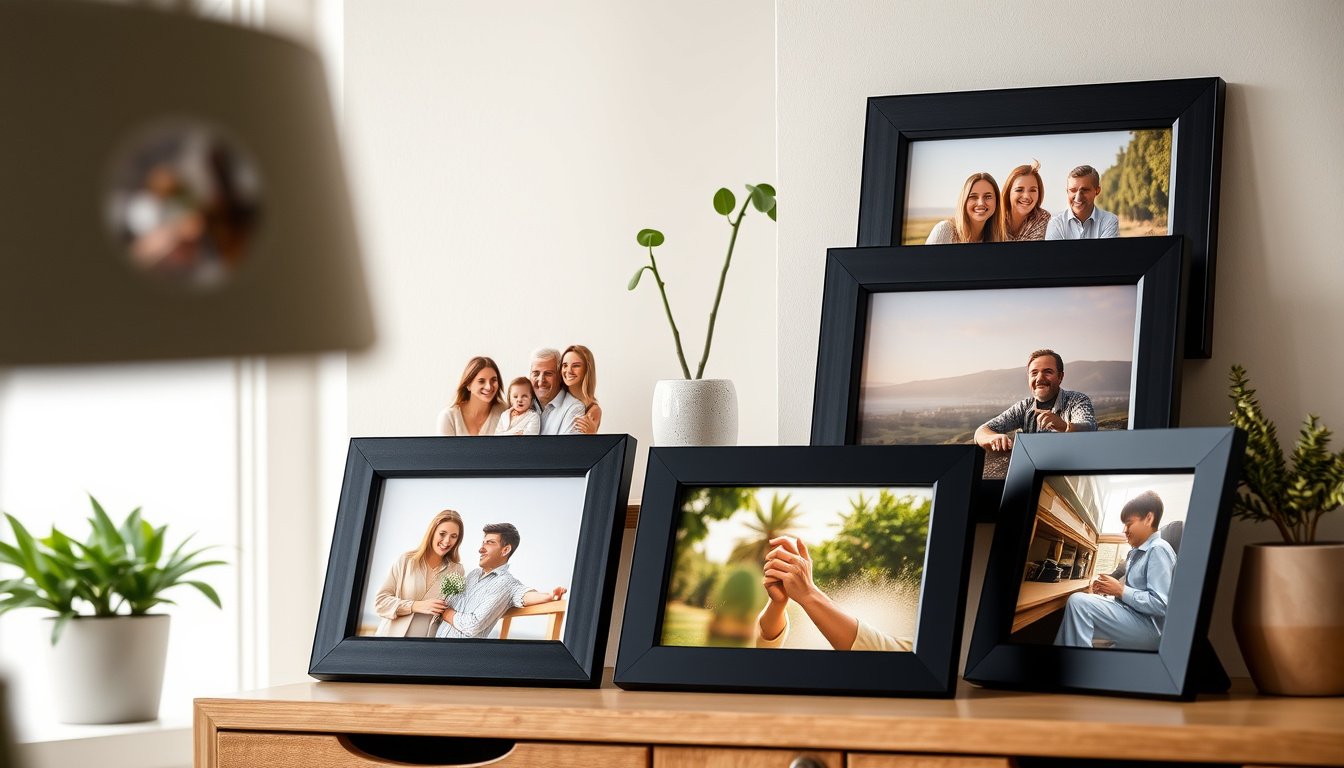
You want a simple way to keep photos rotating on a shelf or to send new images to family without technical hassles. Digital frames under $100 now offer crisp displays, reliable Wi‑Fi sharing, and enough storage to hold hundreds of pictures, so you can enjoy memories in real time without overspending.
This guide helps you compare the best options so you can pick the frame that fits your space, skill level, and budget.
Top Picks
|
Category |
Product |
Score |
|---|---|---|
|
🏆 Best 1080p Display |
92/100 |
|
|
🎯 Best For Sharing |
88/100 |
|
|
💰 Best Budget |
89/100 |
|
|
🎁 Best For Seniors |
87/100 |
|
|
🔰 Most Elegant Design |
86/100 |
How We Chose
You need a frame that balances image quality, ease of use and steady connectivity without breaking your budget. We prioritized display resolution and panel quality because a clearer screen makes the difference between a cherished photo and a muddy image. We also looked at sharing options, including app and email uploads, cloud support and remote management so you can update photos from anywhere.
Finally, we weighed value by comparing storage, warranty and real-world usability to recommend frames that perform reliably under $100.
Dragon Touch

You get a 10.1-inch touchscreen with a 1080p-capable panel, 32 GB of built-in storage and Wi‑Fi sharing that makes swapping family photos fast and painless. Setup is straightforward: connect the frame to your network, install the companion app and start sending images from your phone or email.
Use it as a daily desk or mantelpiece display, or preload a slideshow for a birthday, anniversary or long-distance family gathering. If you want a balance of clear image quality, easy sharing and a classic black wood look, this frame is a solid, practical choice you can rely on.
What People Say
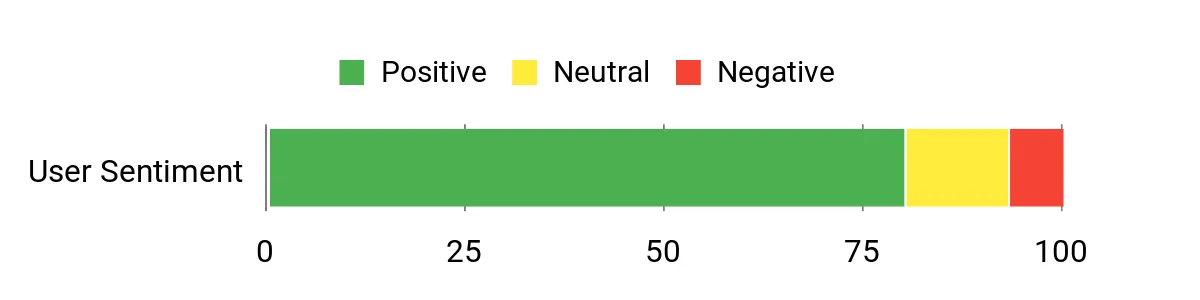
Customers consistently praise the picture clarity and the convenience of sending photos directly from a phone or email. Many reviewers note the touchscreen and app make day-to-day use intuitive, and the included storage avoids constant manual transfers. A few users mention occasional connectivity hiccups, but most highlight reliable performance and good customer support.
Overall Sentiment: Positive
Long-Term Cost Benefits
Because the frame stores images locally and handles sharing through free app or email options, you reduce recurring costs for printed photos and physical frames. The durable build and two-year warranty also mean fewer replacement expenses over time, so the upfront effort to set it up pays off as ongoing value.
Return on Investment
You’ll get ongoing enjoyment from displaying changing memories without frequent upkeep. The combination of solid picture quality, on-device storage and easy remote updates delivers strong practical value relative to other decorative items you might buy for the same space.
Situational Benefits
|
Situation |
How It Helps |
|---|---|
|
Daily Desk Display |
The touchscreen and auto-rotate keep images looking right on a desk, and 32 GB stores a rotating library so you don’t need to swap files constantly. |
|
Gift for Distant Family |
You can send photos via the app or email so relatives see new pictures without tech help, making it ideal for grandparents or busy households. |
|
Event Slideshows |
Preload themed albums for birthdays or anniversaries and let the frame run a continuous slideshow that complements the celebration. |
Emotional Benefits
You’ll feel more connected to family moments when photos cycle through the room, and the ease of adding new images makes sharing small daily wins and milestones feel effortless. It’s a gentle way to keep memories visible and present in everyday life.
Versatility
The Dragon Touch handles portrait and landscape images with auto-rotate, accepts uploads from multiple phones and works well on a shelf, desk or mantle. It’s flexible enough for everyday display and special occasions alike.
Aesthetic Appeal
The black wood finish is understated and fits with most decor, so the frame reads as a classic picture frame rather than obvious tech. It blends into living rooms, home offices and entryways without drawing attention away from the photos.
Practicality
You get touch controls, Wi‑Fi sharing and ample internal storage, plus a two-year manufacturer warranty. The frame is corded, so place it near an outlet, but otherwise setup and daily use are straightforward even if you don’t consider yourself tech savvy.
Energy Efficiency
As a corded digital display it draws power while in use, but you can manage runtime with a smart plug or schedule to limit active hours. It doesn’t rely on batteries, so you avoid periodic battery replacements.
Key Benefits
- Crisp 1080p-capable display for sharper photos
- 32 GB onboard storage so you can keep hundreds of pictures locally
- Multiple sharing options: app, email and cloud uploads
- Touchscreen controls for quick, on-frame adjustments
- Two-year manufacturer warranty for added peace of mind
Rating: 4.5/5 (total: 9810+)
Frameo Bigasuo

You get a bright 10.1-inch IPS screen with touch controls and a straightforward app for sending photos and short videos from anywhere. Setup is quick: connect to Wi‑Fi, install the app and invite family members to share. The frame’s focus is ease of use, so it works well for everyday rotation on a mantel or for running a themed slideshow at a family gathering. It handles portrait and landscape images smoothly, and the 32GB of storage lets you keep plenty of memories on board.
If you want a frame that friends and relatives can update without technical hand-holding, this one balances clarity and convenience in a friendly package.
What People Say
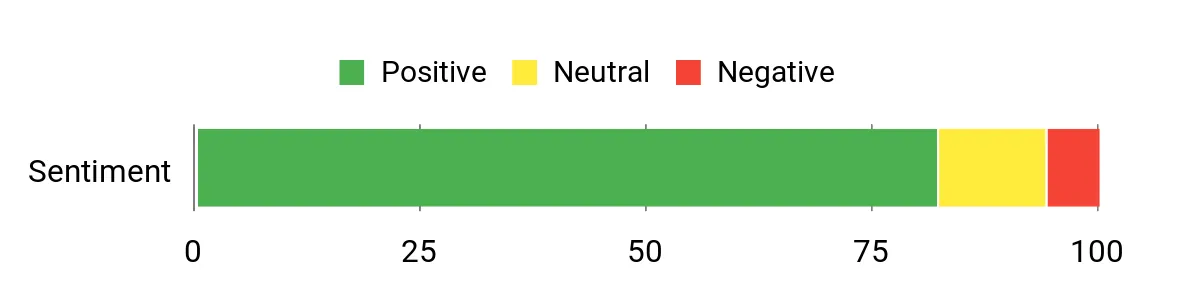
Customers often highlight the clear IPS display and the simplicity of sending photos from a phone. Many find the app and touchscreen intuitive, making it a top choice for parents and grandparents who want minimal setup.
A handful of users mention occasional network hiccups, but most praise the frame’s reliability and ease of sharing.
Overall Sentiment: Positive
Long-Term Cost Benefits
By moving to digital sharing you cut back on regular printing and framing costs, and the built-in storage means you won’t need extra drives. The minimal maintenance and straightforward updates translate into lower ongoing expenses compared with physical photo displays.
Return on Investment
You gain a continuously refreshed display of memories that keeps delivering value over time. The emotional payoff of staying connected with family and the low effort to update content means the frame pays back through daily enjoyment rather than one-off use.
Situational Benefits
|
Situation |
How It Helps |
|---|---|
|
Grandparent Gift |
Family members can send photos directly to the frame, so relatives who aren’t tech-savvy still get regular photo updates. |
|
Home Office Desk |
A steady slideshow of personal photos brightens your workspace without requiring daily management. |
|
Small Event Display |
Preload albums for birthdays or reunions and let the frame run continuous slideshows during the celebration. |
Emotional Benefits
Seeing new photos arrive and cycle through gives you an immediate connection to distant loved ones and makes everyday moments feel more present. The effortless sharing reduces friction and creates small, repeated moments of joy.
Versatility
Works well in both portrait and landscape, accepts uploads from multiple phones and can sit on a shelf or hang on a wall, making it flexible for different rooms and uses.
Aesthetic Appeal
The matte black frame keeps attention on your photos and blends into modern or classic decor without looking like gadgetry, so it reads more like a traditional frame.
Practicality
Touch controls, app-based sharing and ample internal storage make daily use simple. It’s corded, so plan placement near an outlet, but otherwise it’s low-maintenance for non-technical users.
Energy Efficiency
As a plugged display it uses power while on, but you can limit active hours with a schedule or smart plug to reduce consumption and keep it from running 24/7.
Key Benefits
- 1280×800 IPS display for crisp, natural colors
- Touchscreen plus app control for easy local and remote uploads
- 32GB built-in storage for a large photo library
- Well-suited for gifting to older family members
- Support for sending photos and short videos from phones
Rating: 4.5/5 (total: 11192+)
AEEZO Frame
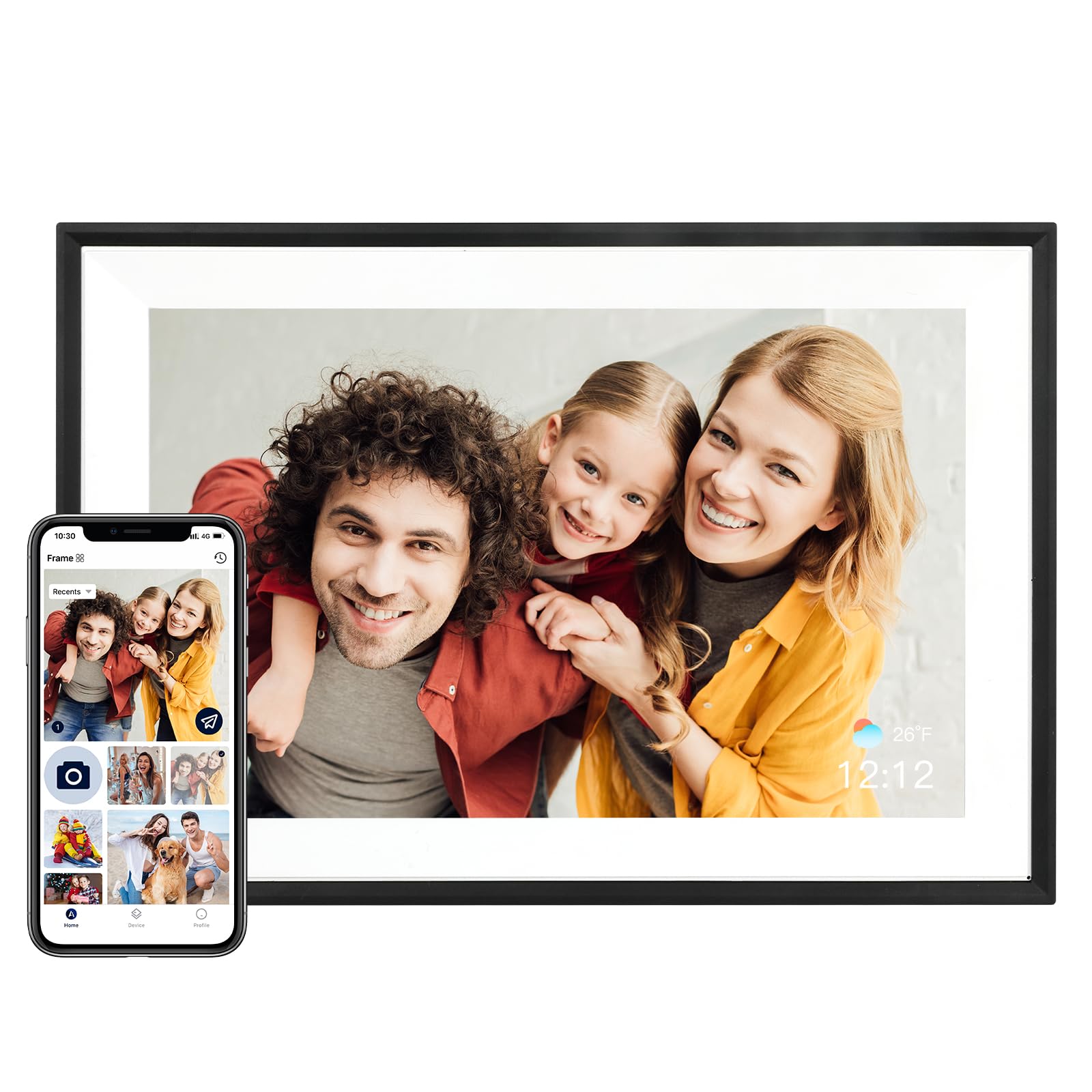
You get a surprisingly sharp 10.1-inch IPS display, a responsive touchscreen and built-in 32 GB so you can keep hundreds of photos on the device. The AiMOR app handles setup and remote uploads, which makes it easy for multiple people to contribute new images without fiddly file transfers.
Use it as a daily photo rotator on your desk, a sentimental gift that family can update remotely, or a simple event slideshow for small gatherings. If you want strong image quality and straightforward app-driven sharing, this frame is a sensible pick that focuses on practicality rather than bells and whistles.
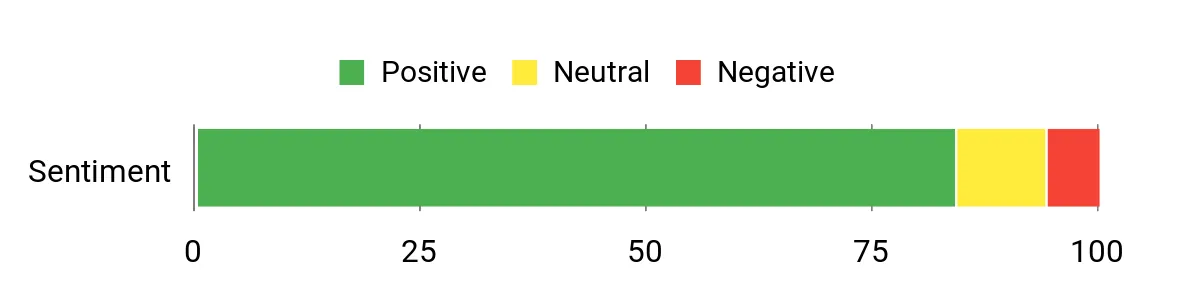
What People Say
Users frequently praise the crisp IPS display and the convenience of the AiMOR app for sending photos from a phone. Many reviewers appreciate the large built-in storage and responsive touchscreen, noting it’s straightforward for non-technical household members. A small number of people report occasional connectivity or app quirks, but most find it dependable and good value for daily photo sharing.
Overall Sentiment: Positive
Long-Term Cost Benefits
By keeping photos digital you skip recurring print and framing costs, and the internal storage reduces the need for external drives. Minimal maintenance and reliable performance mean fewer replacement or repair expenses over time.
Return on Investment
You gain ongoing enjoyment from rotating memories without constant effort. The convenience of remote updates and solid display quality delivers daily value that outlasts a one-time decorative purchase.
Situational Benefits
|
Situation |
How It Helps |
|---|---|
|
Family Photo Sharing |
Multiple relatives can send images via the app so everyone sees new moments without tech support. |
|
Work Desk Display |
A steady slideshow offers a personal touch to your workspace while requiring minimal upkeep. |
|
Small Event Display |
Preload themed albums to run continuous slideshows during gatherings or celebrations. |
Emotional Benefits
Seeing fresh photos cycle through creates a regular reminder of people and moments you care about, making distant relationships feel closer and everyday spaces more personal.
Versatility
Handles portrait and landscape images, supports app uploads from multiple devices and fits on shelves or walls, so it adapts to different rooms and display needs.
Aesthetic Appeal
The simple black frame keeps focus on your photos and blends with most decor styles, offering a low-profile look that reads like traditional picture framing.
Practicality
Touch controls, Wi‑Fi sharing and generous storage make day-to-day use straightforward, though you should plan placement near an outlet since it’s corded.
Energy Efficiency
The frame draws power while active; using a schedule or smart plug can limit run time and reduce energy usage without impacting functionality.
Key Benefits
- 1280×800 IPS screen for clear, natural colors
- 32 GB onboard storage for a large local photo library
- AiMOR app for remote uploads and easy setup
- Auto-rotate and touchscreen controls for flexible display
- Well-rated reliability for everyday use
Rating: 4.6/5 (total: 9071+)
Frameo Pastigio
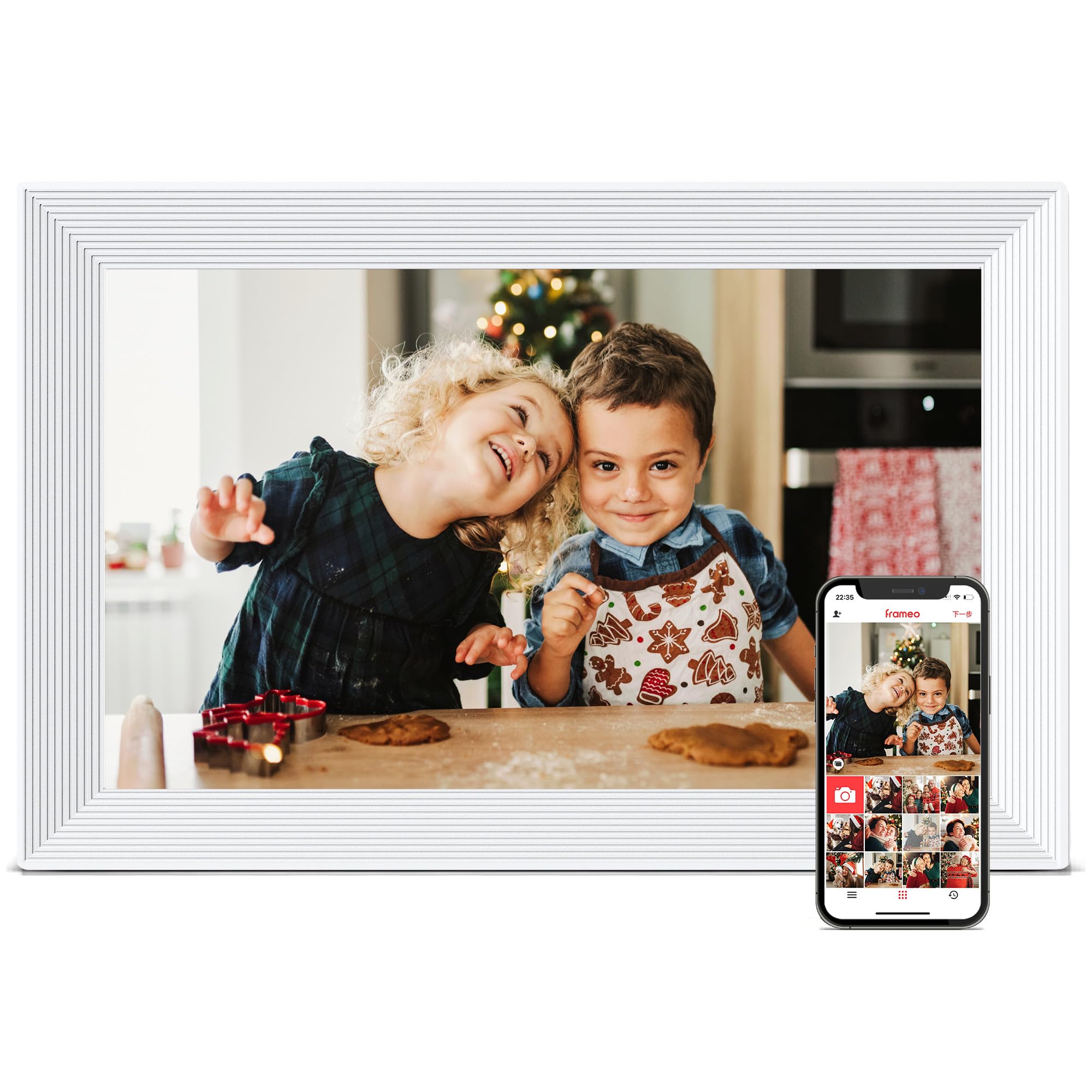
You get a bright 10.1-inch IPS touchscreen that keeps images crisp and colors natural, plus 32 GB of onboard storage so you can hold a large gallery locally. Setup and sharing are built around the companion app, which makes it easy for multiple family members to send photos and short videos remotely.
It’s a practical choice for daily display on a mantle or desk, and it also works well for special occasions when you preload themed albums. If you want a frame that feels familiar to older relatives and still supports modern sharing, this one strikes a good balance between usability and features.
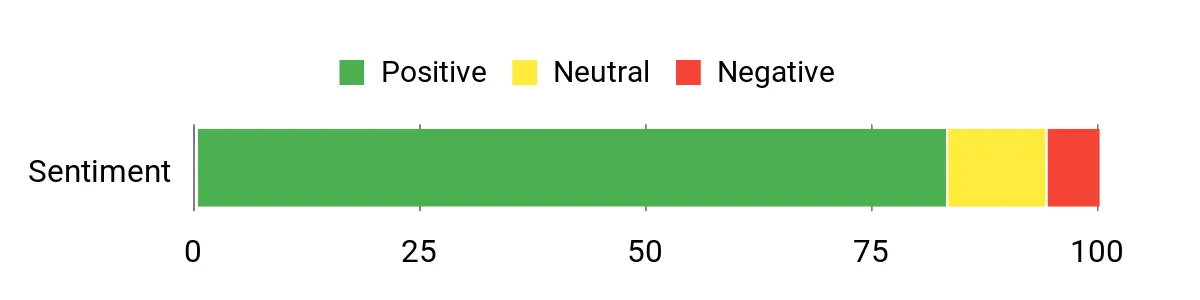
What People Say
Buyers frequently note how simple the frame is to set up and how well it works as a gift for older family members. Many users praise the clear display and the ability to receive photos from relatives via the app, while a minority mention occasional photo cycling quirks or optional subscription features for advanced remote management.
Overall Sentiment: Positive
Long-Term Cost Benefits
Switching to a digital frame reduces recurring printing and framing costs and keeps image management centralized. The included storage and durable design lower the chance you’ll need accessories or replacements, though optional subscription features may introduce small ongoing fees for advanced capabilities.
Return on Investment
You get ongoing enjoyment from rotating memories rather than a one-time decorative purchase. The combination of easy sharing, reliable image quality and low maintenance delivers steady value in everyday life and during family moments.
Situational Benefits
|
Situation |
How It Helps |
|---|---|
|
Grandparent Gift |
Relatives can send photos remotely so grandparents enjoy new images without needing to manage transfers themselves. |
|
Home Display |
A continuous slideshow brightens living rooms or home offices and keeps memories visible without daily effort. |
|
Event Slideshow |
Preload themed albums for birthdays or reunions and let the frame run a seamless display during the event. |
Emotional Benefits
Seeing new photos cycle through brings regular reminders of loved ones and small moments, helping you feel connected across distance and time.
Versatility
Supports both portrait and landscape images, accepts uploads from multiple devices and can sit on a shelf or hang on a wall, so it fits different rooms and uses.
Aesthetic Appeal
The clean white frame is unobtrusive and complements modern and classic decors, keeping attention on your photos rather than the device.
Practicality
Touch controls, Wi‑Fi sharing and generous internal storage make daily use straightforward; it’s corded so you should place it near an outlet, and the two-year warranty adds reliability.
Energy Efficiency
The frame uses continuous power while active; using a schedule or smart plug to limit active hours reduces energy use without affecting core functionality.
Key Benefits
- 1280×800 IPS screen for clear, vibrant photos
- 32 GB internal storage for many images and short videos
- Touch controls and simple app-driven sharing
- Auto-rotate for portrait and landscape images
- 24-month warranty for added peace of mind
Rating: 4.5/5 (total: 3608+)
Anna Bella
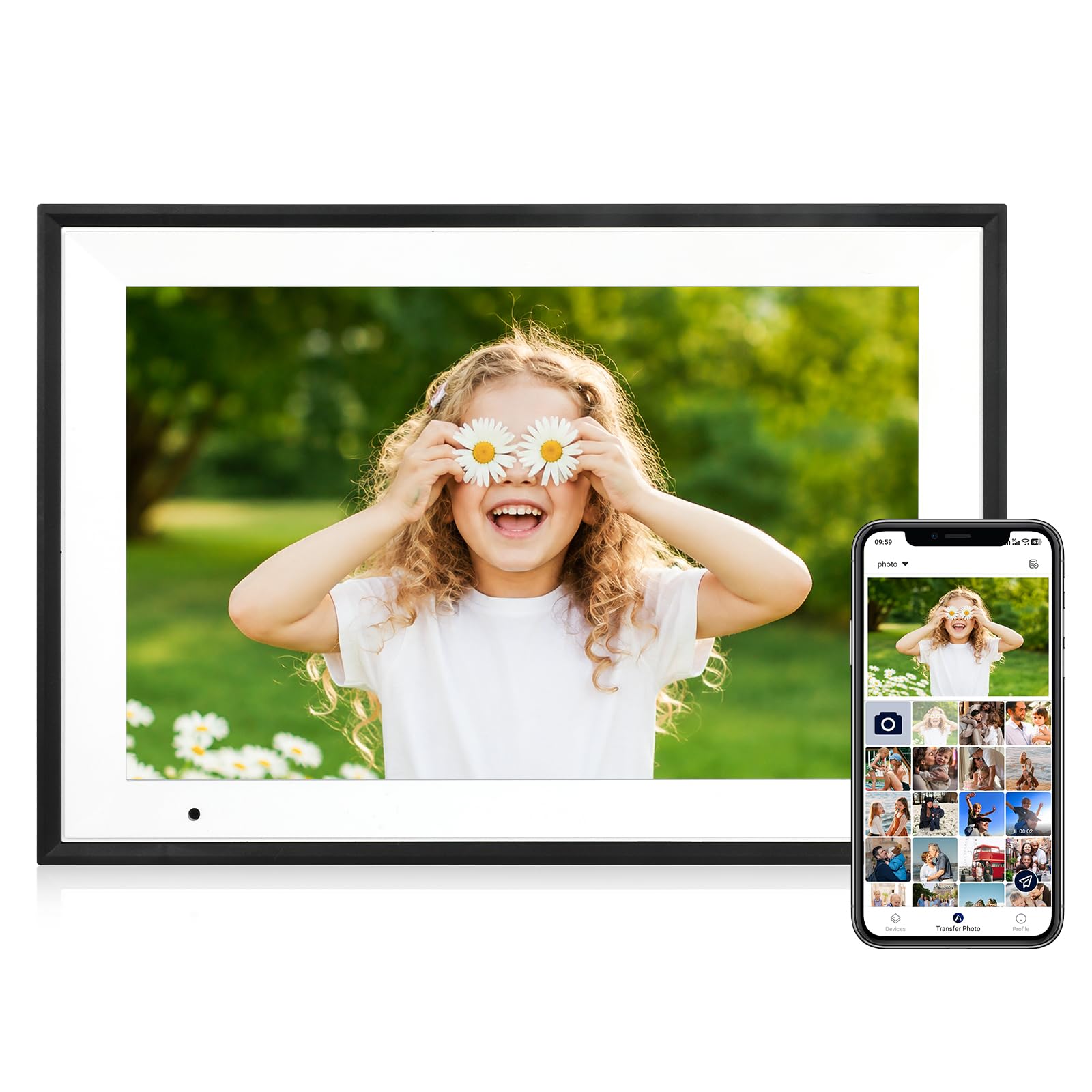
You get a sharp 10.1-inch IPS touchscreen that makes photos look crisp and colors pop, with 32 GB of internal storage so you can keep a big gallery on the frame itself. Setup and sharing rely on the companion app and Wi‑Fi, which makes it straightforward to send new images from your phone or invite family members to contribute.
The frame supports portrait and landscape orientation with auto-rotate and includes a motion/light sensor to wake the screen when someone approaches. It’s well suited for daily use on a desk or mantle and for curated slideshows at gatherings.
If you want reliable image quality with uncomplicated sharing, this is a dependable pick that fits many homes.
What People Say
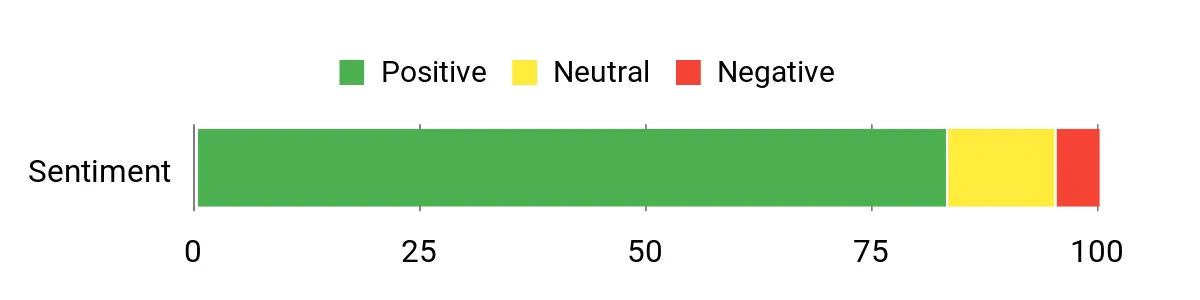
Users commonly praise the clear display and bright colors, and many find the Wi‑Fi setup and app straightforward for sending photos from a phone. Reviewers also appreciate the auto-rotate and motion sensor that make the frame feel ‘set and forget.’ A small number of customers note minor setup quirks or missing accessories, but most highlight dependable performance and ease of use.
Overall Sentiment: Positive
Long-Term Cost Benefits
Keeping photos digital reduces the need for prints and separate frames, and the internal storage eliminates frequent file transfers or extra drives. Low maintenance and solid reliability mean fewer replacement or accessory costs over time.
Return on Investment
You’ll get continuous use from a single purchase as memories cycle through daily. The combination of strong display quality, easy remote updates and low upkeep provides ongoing value beyond a one-off decorative item.
Situational Benefits
|
Situation |
How It Helps |
|---|---|
|
Daily Mantel Display |
Auto-rotate and motion wake keep the display looking correct and active only when someone is nearby, conserving attention and energy. |
|
Family Sharing |
The app and Wi‑Fi make it simple for relatives to send photos remotely, so you get regular updates from multiple contributors. |
|
Event Slideshows |
Preload themed albums to run continuous slideshows during birthdays, reunions or small gatherings without manual swapping. |
Emotional Benefits
Seeing rotating photos and fresh uploads makes everyday spaces feel more personal and helps you stay connected to distant family moments without effort.
Versatility
Works in both portrait and landscape, supports app uploads from multiple devices and fits on shelves or walls, so it adapts to different rooms and uses.
Aesthetic Appeal
The black-with-white trim offers a clean, understated look that keeps the focus on your photos and complements modern or classic decor.
Practicality
Touch controls, Wi‑Fi sharing and substantial internal storage make daily use simple; it is corded, so place it near an outlet for continuous use.
Energy Efficiency
The frame draws power while active, but the built-in motion sensor and the option to schedule active hours help limit runtime and reduce energy usage.
Key Benefits
- 1280×800 IPS screen for crisp, natural color
- 32 GB onboard storage holds hundreds of photos locally
- Auto-rotate and motion sensor for hands-free display
- App and Wi‑Fi sharing so multiple people can contribute
- Simple setup and a clean, decor-friendly design
Rating: 4.5/5 (total: 5506+)
FAQ
How Do I Choose The Right Frame?
Start by prioritizing display quality and sharing features that match how you plan to use the frame. A higher-resolution IPS panel gives sharper, more natural colors for everyday viewing, while built-in storage like 32 GB keeps a large library on the device without relying on external drives. Look for frames with simple app or email upload options if multiple family members will contribute, and consider ergonomics such as touchscreen controls, auto-rotate and mounting or stand options so the frame fits the room and the people who will use it.
How Do I Set Up And Share Photos Remotely?
You typically connect the frame to your Wi‑Fi, install the companion app and follow the on-screen pairing steps to register the device. Once linked, invite family members through the app or use email/cloud upload features to send images directly to the frame; be mindful of file size and video length limits that some models impose.
If you run into permission or connectivity prompts, check your router settings and confirm the frame is on the same network as your phone before retrying.
What Common Problems Should I Expect And How Do I Fix Them?
Most issues are network-related: if photos fail to arrive, reboot the frame and your router, then reconnect to Wi‑Fi and reauthorize the app. If images look cropped or misaligned, adjust orientation settings or use the auto-rotate feature; missing stands or mounting hardware can be solved with a small aftermarket bracket or a desktop easel. For persistent app glitches or firmware concerns, check for updates, consult the manufacturer support resources and use the warranty if hardware seems faulty.
Customer Preferences
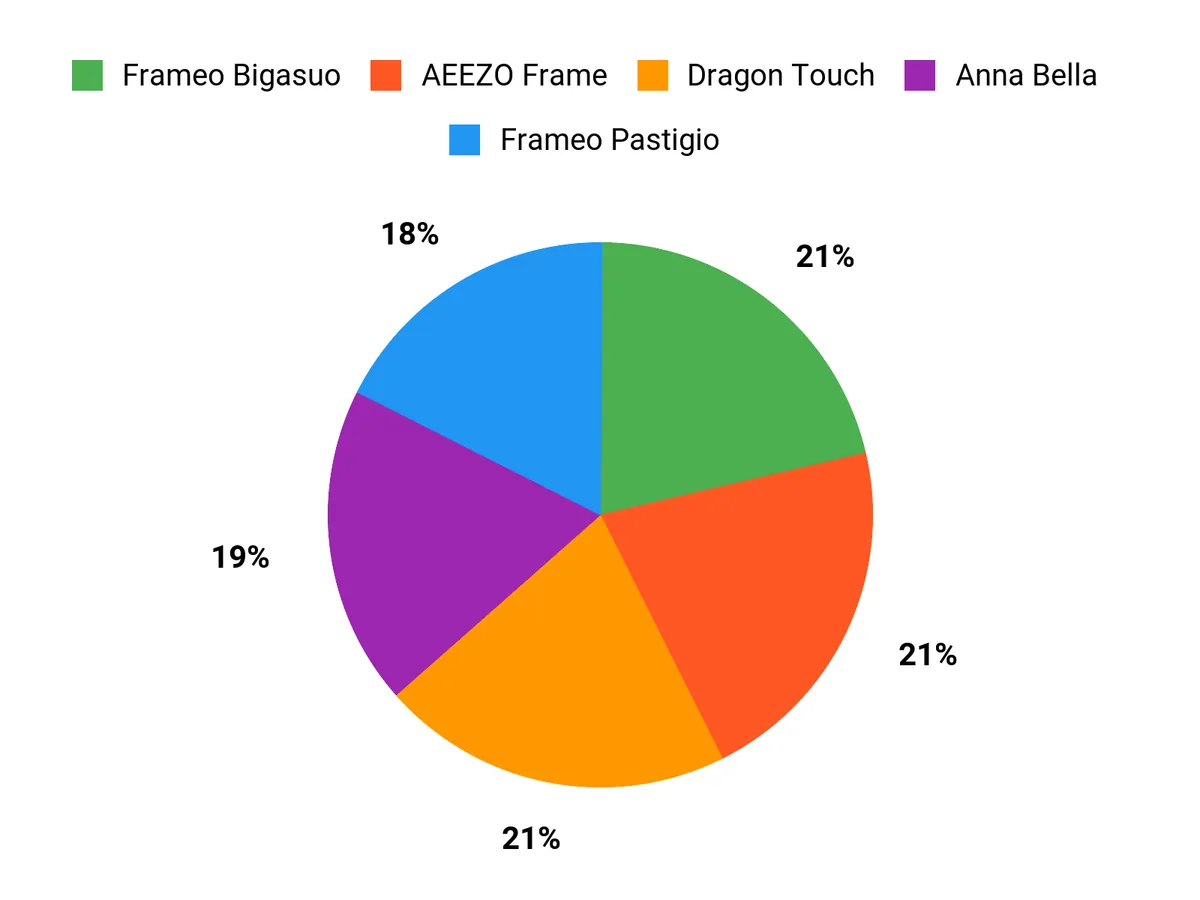
When choosing between the Dragon Touch, Frameo Bigasuo and AEEZO Frame you’ll typically prioritize image quality and sharing convenience — Dragon Touch is often chosen for its 1080p clarity, while Frameo Bigasuo and AEEZO are favored for intuitive apps and reliable IPS panels. You’ll also value generous onboard storage, touchscreen controls and straightforward setup so multiple family members can send photos without tech support, leading many buyers to pick the frame that best balances sharp display, simple remote uploads and an easy-to-use interface.
Wrapping Up
If you want the sharpest image within this price range, choose the Dragon Touch model for its 1080p display and robust feature set. If sharing photos and short videos from multiple family members matters most, Frameo Bigasuo makes it easy to send updates remotely. When price is the deciding factor, the AEEZO frame gives you solid image quality and a high user rating for the lowest cost.
For a gift for older relatives who need a simple, reliable experience, the Pastigio Frameo balances usability and support. If your priority is a frame that complements your decor while still offering good performance, the Anna Bella model delivers an elegant look with dependable features.
| Product Name | Image | Rating | Screen Resolution | Connectivity | Memory Storage Capacity |
|---|---|---|---|---|---|
| Dragon Touch Digital Picture Frame WiFi 10 inch Touch Screen |
|
4.5/5 (9,810 reviews) | 1080p | Wi-Fi | 32 GB |
| Frameo Digital Picture Frame 10.1″ Electronic Photo Frame |
|
4.5/5 (11,192 reviews) | 1280×800 HD | Wi-Fi | 32 GB |
| AEEZO Digital Picture Frame, 10.1 Inch Digital Photo Frame |
|
4.6/5 (9,071 reviews) | 1280×800 | Wi-Fi | 32 GB |
| Frameo 10.1 Inch Digital Picture Frame, Smart WiFi Electronic Photo Frame |
|
4.5/5 (3,608 reviews) | 800p | Wi-Fi | 32 GB |
| Digital Picture Frame 10.1 Inch, WiFi Picture Frame |
|
4.5/5 (5,506 reviews) | 1280×800 | Wi-Fi | 32 GB |
This Roundup is reader-supported. When you click through links we may earn a referral commission on qualifying purchases.